
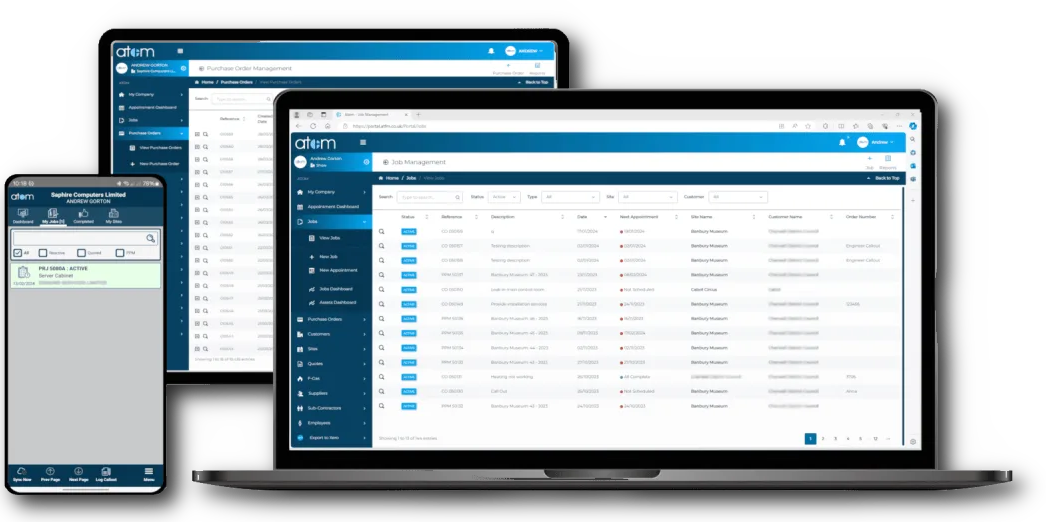
We’ve released an update to the Atom Mobile app. This update provides additional functionality for the recently added “Voice Notes” feature.
What’s new
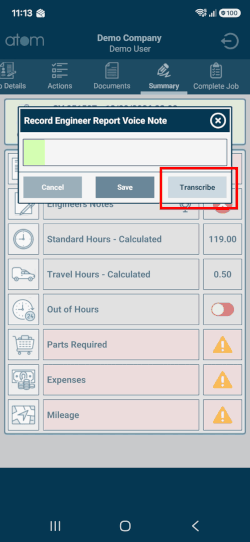
Transcribe at the point of recording
Engineers can now transcribe a voice note at the point of recording by tapping the “Transcribe” button.
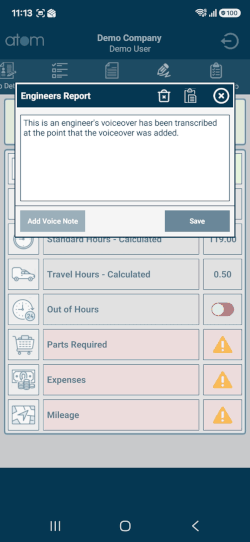
Add transcribed notes straight to the engineer’s report
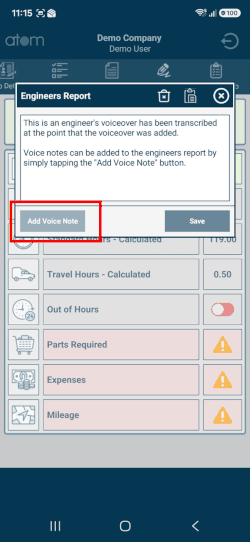
Engineers can now add transcribed voice notes directly to the engineer’s report by tapping the “Add Voice Notes” button.
Clear the engineer’s report
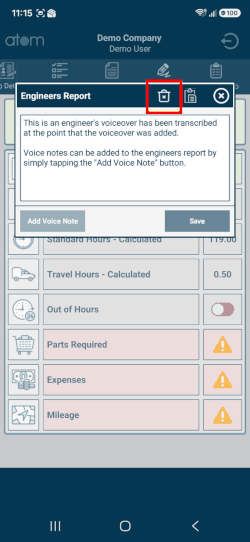
You can now clear the engineer’s report by tapping the delete button at the top of the pop-up. This will also delete the voice note recording.
Please note: tapping the delete button clears the text, but you will then need to tap the “Save” button to confirm the deletion. This prevents an engineer’s report from being deleted accidentally with a single tap.
See the transcription during playback
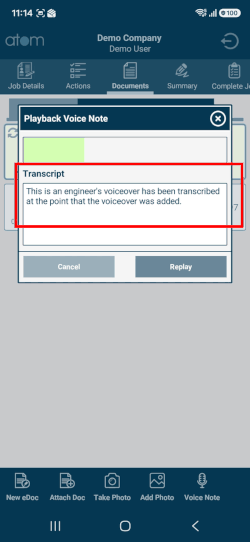
The transcribed voice note text is now visible, for reference, when you play back the voice note.
And finally
AI “Voice to Text”
Our AI “Voice to Text” engine transcribes the audio into “real” English, automatically adding punctuation and capitalising the text as required.